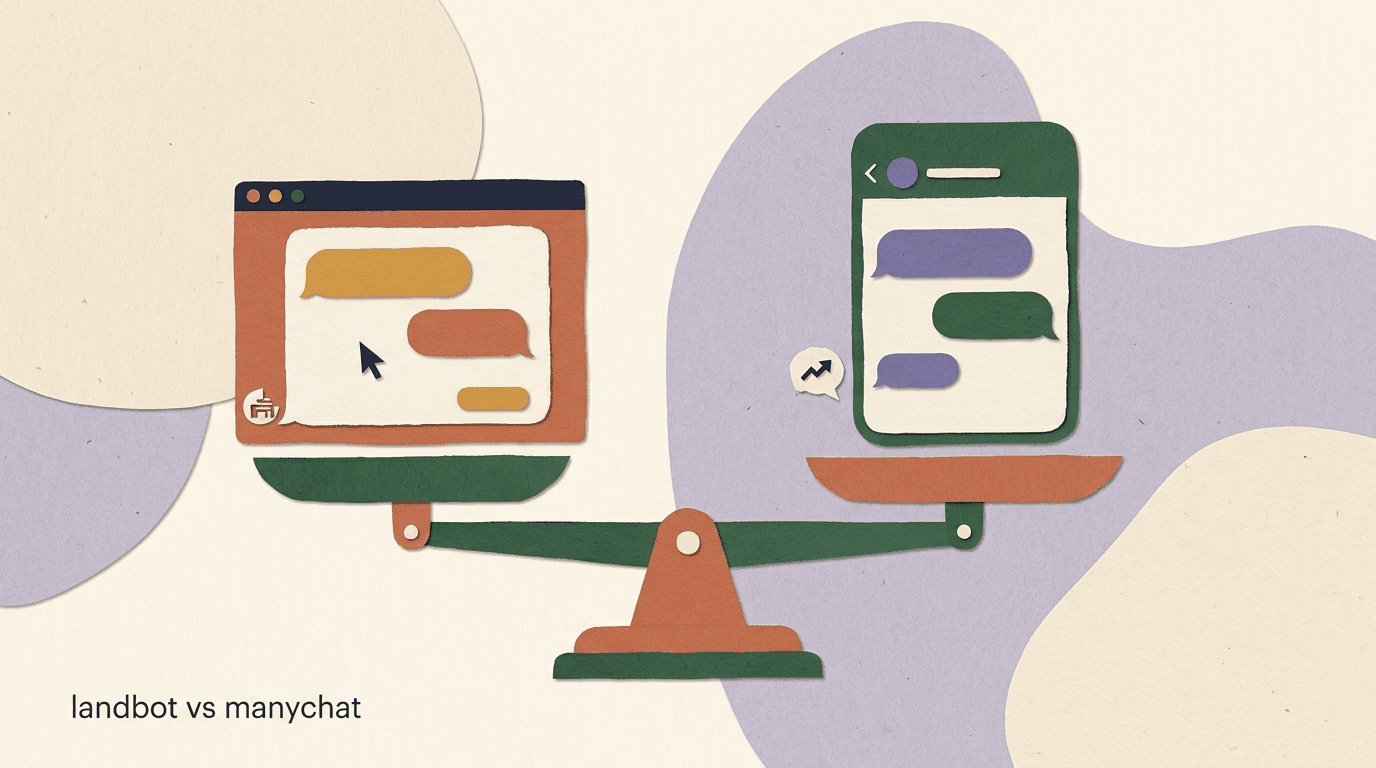
The Landbot vs ManyChat question gets asked as if the two tools are interchangeable, and they are not. Landbot is a conversational interface builder — it puts chat-style forms and bots on your website and inside WhatsApp. ManyChat is a social DM automation platform — it lives where your audience already messages you, mostly Instagram and Facebook, with WhatsApp as a newer add-on. Both call themselves chatbot builders, both have visual flow editors, and both will happily take your money, but the channel each is built around changes everything: where the conversation starts, who owns the audience, how leads enter, and what a realistic monthly bill looks like.
This is an honest, side-by-side comparison written to help you pick the right tool rather than the more famous one. We cover the channel split that drives every other difference, the builder experience in each, how WhatsApp works on both, the state of their AI features, and a realistic look at pricing — with the clear caveat that vendor prices change and you should verify the live numbers before you budget.
Full disclosure: we build KlyoChat, an AI-native unified inbox for social DM and WhatsApp. So we have a horse in this race, and we will say where KlyoChat fits near the end. But the bulk of this piece is about Landbot and ManyChat, kept to what each company publishes, with estimates clearly labeled. The goal is a comparison you would trust even if we did not sell anything.
What is Landbot, and what is it actually built for?
Landbot is a no-code chatbot builder focused on conversational experiences that live on a surface you control — primarily your website, plus WhatsApp. Instead of a long static web form, you build a chat that asks one question at a time, branches based on answers, and feels like a conversation. The classic use case is a lead-qualification bot embedded on a landing page: it greets a visitor, asks what they need, captures their email, and routes a qualified lead to your CRM or a human.
The core idea is the conversational landing page. Landbot's pitch is that chat-style interfaces convert better than traditional forms because they reduce friction and feel personal. You design the flow in a drag-and-drop builder, embed it as a widget, popup, or full-page experience, and connect it to your tools. WhatsApp is the second pillar: Landbot lets you build automated WhatsApp flows for businesses using the WhatsApp Business API.
What Landbot is not is a social DM tool. It does not automate your Instagram comments, it does not run comment-to-DM funnels on a viral Reel, and it is not where you would manage Facebook Messenger marketing campaigns. Its center of gravity is the website and WhatsApp, where the business owns the surface and the conversation is usually inbound and intent-driven.
One-line definition
Landbot puts a conversational bot on surfaces you own — your website and WhatsApp. Think structured lead capture and on-site qualification, not social media DM marketing.
What is ManyChat, and how is its job different?
ManyChat is a chat marketing platform built around social direct messages. Its home turf is Instagram and Facebook Messenger, with WhatsApp and SMS/email available on higher tiers. The defining feature is comment-to-DM: someone comments a keyword on your post, and ManyChat automatically sends them a direct message, turning public engagement into a private conversation and a captured contact. That mechanic is the engine behind most creator and e-commerce DM marketing on Instagram.
Where Landbot waits for visitors to arrive on your site, ManyChat works inside platforms you do not own, meeting people where they already follow and message you. The conversation is often outbound or triggered by social activity: a Story reply, a comment, an ad click-to-Messenger. ManyChat then runs flows, broadcasts, and sequences to nurture and sell.
This is the fundamental split. Landbot is about your owned surfaces and structured intake. ManyChat is about borrowed social surfaces and audience marketing. Both automate conversations, but the conversations start in completely different places, which is why comparing them on features alone is misleading.
Where the conversation starts
- Landbot
- Visitor lands on your website or messages your WhatsApp number — inbound, intent-driven
- ManyChat
- Follower comments on a Reel or replies to a Story — social-triggered, marketing-driven
Landbot vs ManyChat: the channel split that decides everything
Before any feature comparison, you have to settle the channel question, because it determines whether either tool can even do the job you have in mind. The two products were designed around different surfaces, and that design choice cascades into every other difference — builder, AI, pricing, and who each one suits.
Here is the channel coverage side by side. Note that overlap exists only on WhatsApp, and even there the two approach it differently.
- If your need is on-site lead capture or a conversational form, Landbot is built for it and ManyChat cannot do it.
- If your need is Instagram or Facebook DM marketing and comment-to-DM, ManyChat is built for it and Landbot cannot do it.
- WhatsApp is the only true overlap — both support it, but Landbot treats it as a flow surface and ManyChat treats it as a marketing channel alongside social.
- Many businesses actually need both jobs, which is why the right answer is sometimes two tools, not one.
| Channel | Landbot | ManyChat |
|---|---|---|
| Website widget / landing page | Core strength | Not supported |
| Core strength | Yes (Pro tier + Meta fees) | |
| Instagram DM | Not the focus | Core strength |
| Facebook Messenger | Not the focus | Core strength |
| Comment-to-DM | No | Core strength |
| SMS / email | Limited | Yes (add-ons / higher tiers) |
Start from the channel, not the feature list
Decide where your conversations begin — your website, or social media. That single answer eliminates one of these tools immediately and saves you a trial period spent forcing the wrong product into the wrong job.
How does the builder experience compare?
Both tools are no-code visual builders, and both are genuinely good at it — this is not where you will find a loser. But the builders are tuned for their respective jobs, and that shows up in how they feel to use.
Landbot's builder is a canvas of connected blocks designed for branching logic and data capture. Because its bots often replace forms, it leans heavily on input validation, conditional logic, variables, and clean handoffs to integrations. Building a multi-step qualification flow with branching paths feels natural here. The trade-off is that for a simple two-message auto-reply, the canvas can feel like more machinery than the task needs.
ManyChat's builder, Flow Builder, is tuned for marketing sequences across social DM. It is fast for the patterns creators use constantly — keyword triggers, comment-to-DM rules, broadcasts, and drip sequences. Setting up a comment-to-DM funnel takes minutes because the platform is organized around that exact motion. The trade-off is that deeply branching, form-like data capture is not its native strength the way it is Landbot's.
| Builder aspect | Landbot | ManyChat |
|---|---|---|
| Best at | Branching forms, on-site qualification | Social DM sequences, comment-to-DM |
| Logic & variables | Strong, form-oriented | Good, marketing-oriented |
| Comment-to-DM setup | Not available | Fast, native |
| Learning curve | Moderate | Low for social patterns |
Neither builder is bad — they are specialized
Landbot's builder rewards structured data capture; ManyChat's rewards social marketing motions. Pick the builder whose default patterns match what you will do most days, not the one with the longer feature list on paper.
How does WhatsApp work on Landbot vs ManyChat?
WhatsApp is the one channel both tools support, so it deserves a close look — and it is also where the most expensive surprises hide, because WhatsApp itself charges fees that no software vendor controls.
On Landbot, WhatsApp is a first-class surface. You build conversational WhatsApp flows for lead capture, support, and qualification, which fits Landbot's whole conversational-interface philosophy. If WhatsApp automation is your main goal and you do not need Instagram or Facebook DM, Landbot is a serious option specifically because WhatsApp is core rather than bolted on.
On ManyChat, WhatsApp sits alongside Instagram and Facebook as one of several marketing channels, and it requires at least the Pro tier. It is well suited to teams whose primary motion is social DM marketing and who want WhatsApp in the same place. The mental model is marketing-first rather than conversational-interface-first.
Critically, both inherit WhatsApp's own economics. The WhatsApp Business API bills per conversation through Meta, and those fees vary by country and message category — marketing templates cost more than utility messages. This applies on Landbot, on ManyChat, and on every other WhatsApp tool including KlyoChat. The software subscription is one line; Meta's conversation fees are a separate line on top.
WhatsApp's Meta fees apply no matter which tool you pick
Meta charges per-conversation WhatsApp fees directly, on top of any platform's subscription. Landbot, ManyChat, and KlyoChat all sit on the same WhatsApp Business API and inherit the same fees. When you compare WhatsApp costs, compare subscriptions separately from Meta's metered charges.
What about AI — how do the two compare?
AI is the fastest-moving part of this category, so treat everything here as a snapshot and verify the current state on each vendor's site before deciding. Both Landbot and ManyChat have added AI capabilities, and both are still evolving them.
Landbot has leaned into AI for conversational understanding — using AI to interpret free-text answers inside flows so a bot can handle messy human input rather than only button clicks. That fits its conversational-interface mission: the AI helps the on-site or WhatsApp bot feel less rigid. The depth and packaging of these features change often, so confirm what is included in your plan.
ManyChat offers AI through its AI Step, an add-on that injects AI blocks into flows for things like drafting replies and detecting intent. The notable caveat is that on ManyChat, AI has historically been a separate paid add-on rather than something bundled into the base plan, so if AI is central to your use case, budget for it on top of the subscription.
Neither tool was originally architected as AI-native — both added AI to an existing flow-builder model. That is the gap KlyoChat was built to address, which we will cover honestly in its own section rather than overstate here.
AI packaging at a glance
- Landbot
- AI for understanding free-text inside flows; verify current plan inclusion
- ManyChat
- AI Step add-on, historically billed separately from the base plan
- KlyoChat
- AI agents included in the plan, not a separate add-on
How much do Landbot and ManyChat cost?
Pricing is the section most likely to be out of date the moment it is written, so the single most important instruction here is to verify current numbers on each vendor's own pricing page before you budget. Both companies adjust tiers, limits, and add-on costs regularly, and we will not pretend to a precision no one has.
With that caveat front and center: the two price on different axes. ManyChat prices primarily on contacts — the number of unique people who have messaged you — across Free, Essential, Pro, and Business tiers, with AI and WhatsApp adding cost on top. Landbot prices on plan tiers that gate features and usage such as chats or bots, with WhatsApp-specific considerations. Because the metering differs, a like-for-like comparison only makes sense once you map each to your actual usage.
The table below shows the shape of each model rather than exact dollar figures, precisely because exact figures drift. Use it to understand what drives your bill, then plug your real numbers into each vendor's live calculator.
| Pricing aspect | Landbot | ManyChat |
|---|---|---|
| Primary metric | Plan tier + usage (chats/bots) | Contacts |
| Free option | Limited free / trial (verify) | Free plan (25 contacts) |
| AI cost | Plan-dependent (verify) | AI Step add-on, separate |
| Core, plus Meta fees | Pro tier, plus Meta fees | |
| Bill rises with | Usage and feature tier | Contact count growth |
Verify pricing before you commit
Every figure in this category goes stale fast. The structures above reflect how each tool meters, not guaranteed prices. Confirm the current tiers, limits, and add-on costs on landbot.io and manychat.com before you build a budget around either.
Why does ManyChat's contact-based pricing matter?
The metering model is not a footnote — it shapes how your bill behaves as you grow, and it is one of the clearest practical differences between the two tools. ManyChat charges by contacts, and contacts only ever accumulate. Every comment-to-DM trigger, every opt-in, every Story reply adds a contact, and that contact keeps counting until you actively prune it.
The awkward consequence is that your most successful marketing raises your software bill fastest. A Reel that goes viral and floods your DMs is exactly what you wanted, and it is also what pushes you toward the next contact tier. For creators and brands with spiky growth, that makes the bill hard to forecast.
Landbot's usage-and-tier model behaves differently — your cost tracks features and usage volume rather than a permanently growing contact list. Whether that is cheaper depends entirely on your specifics, which is the whole point: model your own numbers rather than trusting a headline. This contact-creep dynamic is also a big reason teams start hunting for flat-rate alternatives once they cross a few thousand contacts.
Same viral month, two billing reactions
- Contact-priced (ManyChat)
- 5,000 to 12,000 contacts can trigger a tier jump and a higher bill
- Flat-rate plan (e.g. KlyoChat)
- Same growth stays the same price if within your plan ceiling
Who should choose Landbot?
Landbot is the right call when your conversations begin on a surface you own and your goal is structured capture or on-site experience. It is strongest for businesses that think in terms of the website and WhatsApp rather than social feeds.
Consider Landbot if the description below sounds like you. If instead your daily motion is Instagram comments and DMs, Landbot will feel like the wrong tool no matter how good its builder is.
- You want a conversational form or chatbot on your website to qualify and capture leads.
- WhatsApp automation is a primary goal and you do not need Instagram or Facebook DM marketing.
- You value branching logic, input validation, and clean handoffs to your CRM.
- You run a service, SaaS, or lead-gen business where intent-driven, inbound conversations dominate.
Landbot's sweet spot
On-site lead capture and WhatsApp flows for businesses that own their traffic. If your funnel starts with a website visit or a WhatsApp message rather than a social post, Landbot fits.
Who should choose ManyChat?
ManyChat is the right call when your audience lives on social media and your growth motion runs through comments, Stories, and DMs. It is the most mature option in the social DM marketing category, with the largest community and template library.
Consider ManyChat if your work centers on Instagram and Facebook. The main things to weigh against it are the contact-based pricing and the separate AI add-on, both covered above — neither is a dealbreaker, but both belong in your budget from day one.
- Your audience is on Instagram and Facebook, and comment-to-DM is central to your funnel.
- You run creator marketing, e-commerce DM campaigns, or social-driven lead gen.
- You want broadcasts and sequences across social DM in one place.
- You can absorb contact-based pricing and budget the AI Step add-on if you need AI.
ManyChat's sweet spot
Social DM marketing at scale — especially Instagram comment-to-DM. If your funnel starts with a post, a Story, or a comment, ManyChat is purpose-built for it.
What if you need both website and social conversations?
A lot of real businesses need both jobs: a conversational form on the website and DM automation on social. Neither Landbot nor ManyChat fully covers the other's territory, so the honest answer is sometimes you run two tools — Landbot for the site, ManyChat for social — and accept two subscriptions and two builders to learn.
Before you commit to that, separate the jobs cleanly and price each one. Running two specialized tools is perfectly valid; just go in knowing the total cost and the operational overhead of two flow builders, two inboxes, and two billing relationships.
- List where each conversation actually startsWrite down every entry point — website visit, Instagram comment, WhatsApp message, Story reply. Group them by surface.
- Match each surface to the tool that owns itWebsite and WhatsApp flows lean Landbot; Instagram and Facebook DM lean ManyChat. WhatsApp can go either way.
- Price both setups at your real usageUse each vendor's live calculator with your projected contacts and usage. Add Meta's WhatsApp fees separately.
- Decide: one tool, two tools, or a unified inboxIf social DM plus WhatsApp covers most of your need, a single unified inbox may replace the two-tool stack.
Two specialized tools is a legitimate answer
If you genuinely need on-site conversational forms and social DM marketing, running Landbot and ManyChat side by side is reasonable. Just price the full stack — including Meta WhatsApp fees — before assuming one tool can do both.
Where does KlyoChat fit in this comparison?
We build KlyoChat, so read this section knowing that — but we will be specific about where it fits and, just as important, where it does not. KlyoChat is an AI-native unified inbox for social DM and WhatsApp. It brings Facebook, Instagram, Telegram, WhatsApp, TikTok, and X into one place, then layers no-code flows, custom AI agents, broadcasts, and comment-to-DM on top.
In this comparison, KlyoChat overlaps most with ManyChat's territory — social DM marketing plus WhatsApp — rather than Landbot's website-widget territory. The differences from ManyChat are that AI agents are included in the plan rather than a separate add-on, the channel list is broader (Telegram, TikTok, and X alongside the usual three), and pricing is flat per tier rather than metered on a contact count that only ever grows. Going from 5,000 to 10,000 contacts does not move your bill within a tier.
KlyoChat's plans are Basic at $19/month, Pro at $49/month ($39 billed yearly), and Business at $129/month, each starting with a 7-day free trial and no credit card required. Pro bundles all channels and custom AI agents at a flat rate, which is the direct contrast to a contact-tier-plus-AI-add-on model.
- AI agents with a knowledge base are included on KlyoChat, not a separate paid step.
- Six channels in one inbox: Facebook, Instagram, Telegram, WhatsApp, TikTok, and X.
- Flat per-tier pricing, so audience growth within a tier does not raise the bill.
- Every plan starts with a 7-day free trial — no credit card.
| What you need | ManyChat | KlyoChat Pro |
|---|---|---|
| Instagram + Facebook DM | Core strength | Included |
| Pro tier + Meta fees | Included + Meta fees | |
| Telegram + TikTok + X | Limited / no | Included |
| AI agents | AI Step add-on, separate | Included |
| Pricing model | Contacts + add-ons | Flat per tier |
Honest limits — where KlyoChat is not the answer
KlyoChat is not a website-widget or conversational-landing-page builder, so it does not replace Landbot's on-site job. It has no native SMS or email. It is a newer product with a smaller community than ManyChat. And like every WhatsApp tool, Meta's per-conversation fees still apply on top. If your core need is on-site forms or SMS/email, KlyoChat is not your tool.
How do integrations and handoffs compare?
A chatbot rarely lives alone. The moment a lead is captured or a question gets too complex, the conversation has to flow somewhere — a CRM, a help desk, a spreadsheet, or a human agent. How each tool handles that handoff is a practical difference that only shows up after you have used it for a few weeks, which is exactly why it belongs in a real comparison.
Landbot, because it so often replaces a form, treats integrations as a first-class concern. Captured variables map cleanly to fields in your CRM, and the conversational flow is designed to end in a structured record. If your goal is to get a qualified, well-tagged lead into your sales pipeline, Landbot's data-first orientation is an advantage. The handoff to a human is also natural in a support context, where a website visitor can be escalated mid-conversation.
ManyChat's integrations are oriented around marketing and commerce — connecting to email and SMS tools, e-commerce platforms, and the broader social marketing stack. The handoff model is different too: because conversations happen inside Instagram and Facebook, a human takes over inside the social inbox rather than on your website. For social-first teams that matches how they already work; for teams that live in a CRM all day it can feel like one more place to check.
The lesson is to trace the entire path of a single lead, from first message to closed record, in each tool before you commit. A builder that captures beautifully but hands off awkwardly will cost you more in daily friction than a slightly weaker editor that fits your stack.
Judge the handoff, not just the bot
Map where a captured lead and an escalated conversation actually go in each tool. Landbot favors structured CRM records; ManyChat favors the social inbox. The one that matches your existing stack wins on day-to-day friction.
What does each tool look like for a small e-commerce brand?
Abstract comparisons only get you so far, so picture a concrete case: a small direct-to-consumer brand selling on Instagram and a Shopify storefront, with a few thousand followers and a growing DM volume. How would each tool serve them?
With ManyChat, the brand would run comment-to-DM on product Reels — comment a keyword, get a DM with the product link — and use broadcasts to announce drops. This is the platform's home turf, and it is why so many e-commerce creators default to it. The watch-outs are the contact count climbing with every campaign and the AI Step add-on if they want automated first replies.
With Landbot, the same brand would more likely build a conversational quiz or product finder on the Shopify store itself — a chat that asks a few questions and recommends a product — plus a WhatsApp flow for order questions. That captures intent from people already on the site but does nothing for the Instagram comment funnel that drives a lot of discovery.
For this brand, the two tools solve different halves of the funnel: ManyChat for top-of-funnel social discovery and DM marketing, Landbot for on-site conversion and post-purchase WhatsApp support. A unified social-DM inbox like KlyoChat would cover the ManyChat half — Instagram, plus WhatsApp and other channels — under one flat plan, while Landbot would still be the tool for the on-site quiz.
D2C brand: which tool for which job
- Instagram comment-to-DM on Reels
- ManyChat or KlyoChat — social DM is their home turf
- On-site product-finder quiz
- Landbot — conversational form on a surface you own
- WhatsApp order questions
- Any of the three — all sit on the WhatsApp Business API
What does each tool look like for a service business?
Now flip to a different case: a service business — an agency, a clinic, a consultancy — whose website is the main lead source and whose conversations are inbound and intent-driven. The calculus changes completely.
Here Landbot is the natural fit. A conversational form on the homepage that qualifies inquiries, captures contact details, and books a call replaces a static contact form and usually converts better. WhatsApp flows can handle follow-up and rescheduling. The whole motion is about owned traffic and structured intake, which is precisely what Landbot was built for.
ManyChat would be the wrong primary tool for this business, because there is no heavy Instagram comment funnel to automate. If the service business also runs an active social presence and gets DMs, a social-DM tool could complement Landbot — but it would not be the centerpiece. This is the clearest illustration of why channel comes first: the same feature checklist points to opposite tools depending on where the leads originate.
- Website-first lead gen with structured qualification points to Landbot.
- Social-first discovery and comment-to-DM points to ManyChat or a unified social inbox.
- A business with both needs may run a website tool and a social tool side by side.
- WhatsApp can support either model, with Meta's per-conversation fees applying regardless.
Same features, opposite recommendation
An e-commerce creator and a service agency might read identical feature lists and end up on different tools. That is the point — the channel where leads originate, not the feature grid, drives the right choice.
What are the common mistakes when choosing between them?
Most regret in this category comes from a handful of avoidable mistakes. Knowing them in advance is worth more than any feature comparison, because they are about how people choose rather than what the tools do.
The mistakes below come up again and again. Read them as a pre-purchase checklist of what not to do.
- Picking the more famous tool instead of the one that matches your channel — ManyChat's brand recognition leads people to it even when their job is on-site forms.
- Comparing base subscription to base subscription, then getting surprised by AI add-ons and Meta WhatsApp fees. Always compare fully-loaded setups.
- Budgeting on today's contact count with a contact-priced tool, then watching a viral month spike the bill.
- Assuming one tool can cover both website and social conversations when neither Landbot nor ManyChat fully does.
- Trialing with a toy flow instead of your single most important real flow, so the builder feels fine until the actual job exposes its limits.
- Forgetting list hygiene on a contact-priced tool, letting dormant contacts quietly push you into the next tier.
The most expensive mistake is comparing the wrong numbers
Never compare base price to base price. Add AI, add WhatsApp's Meta fees, and project your usage a year out. The fully-loaded total at your real scale is the only number that lets you choose honestly between these tools.
How easy is it to switch later if you choose wrong?
No tool choice is permanent, and the cost of being wrong matters as much as the odds of being wrong. If you pick a tool and it turns out to fit poorly, how painful is the switch? This is worth thinking about up front, because it changes how much you should agonize over the initial decision.
Switching off a flow builder is mostly two kinds of work: reconnecting channels and rebuilding flows. Channel reconnection is usually a quick OAuth step per channel. Rebuilding flows is the bigger task, but in practice most teams only have two or three flows that drive nearly all their results — a comment-to-DM funnel, a welcome sequence, and a qualification or FAQ flow. Recreating those from templates is an afternoon, not a month.
Contacts move via a CSV export and import on most platforms, with tags and custom fields carrying over. The safest approach is to run the old and new tools in parallel for a day or two: keep the existing flows live, let the new tool handle fresh conversations, confirm everything works, then cut over and cancel. That eliminates any gap in coverage and removes most of the fear that keeps teams on a tool that no longer fits.
The practical takeaway is that you should choose carefully but not fearfully. The switching cost is real but bounded, so a wrong choice is a setback measured in hours, not a trap. That should free you to commit to the tool whose channel and pricing model fit best, rather than freezing on the decision.
- Reconnect channels via OAuthAdd each channel to the new tool with a few clicks. No need to disconnect the old tool yet.
- Import contacts from CSVExport your contacts, tags, and custom fields from the old tool and import them into the new one.
- Rebuild only your top flowsRecreate the two or three flows that drive most results from templates. Skip the long tail you never use.
- Run in parallel, then cut overLet the new tool handle fresh conversations for a day or two, confirm coverage, then pause and cancel the old one.
Choose carefully, not fearfully
Switching tools is mostly reconnecting channels and rebuilding two or three flows — an afternoon, not a migration project. Let that lower the stakes so you commit to the best channel-and-pricing fit instead of freezing.
A quick recap of Landbot vs ManyChat
Before the decision checklist, here is the whole comparison compressed into one view. The pattern is consistent across every section: the channel a tool was built around determines its strengths, its builder defaults, its WhatsApp posture, and even how its bill behaves. Read the table top to bottom and the right choice for your situation should be obvious.
If a row makes one tool an instant non-starter for your job — no website widget on ManyChat, no comment-to-DM on Landbot — trust that signal over a longer feature list elsewhere.
| Dimension | Landbot | ManyChat |
|---|---|---|
| Built around | Website + WhatsApp | Instagram + Facebook DM |
| Best job | On-site conversational forms | Social DM marketing |
| Comment-to-DM | No | Yes, native |
| Website widget | Yes, core | No |
| Pricing metric | Tier + usage | Contacts + add-ons |
| AI | In-flow understanding | AI Step add-on (separate) |
| Ideal user | Service / lead-gen / SaaS | Creators / e-commerce / social |
The recap in one sentence
Landbot owns your website and WhatsApp; ManyChat owns Instagram and Facebook DM; they meet only on WhatsApp, where Meta's fees apply to both — so choose by where your conversations begin.
How do you make the final decision?
By now the framework should be clear: the channel where your conversations start decides which tool can even do the job, and the pricing model decides how the bill behaves as you grow. Everything else — builder feel, AI packaging — is secondary to those two questions.
Run the short checklist below before you start any trial. Ten minutes here saves you a wasted trial period forcing the wrong tool into the wrong job.
- Name your primary surfaceWebsite, WhatsApp, or social DM? This eliminates one tool immediately. Website-first leans Landbot; social-first leans ManyChat or KlyoChat.
- Check the must-have channelNeed comment-to-DM on Instagram? That rules out Landbot. Need an on-site conversational form? That rules out ManyChat and KlyoChat.
- Model the real costProject a year of usage, map it to each vendor's current pricing, and add Meta's WhatsApp fees separately. Verify every number on the vendor's own page.
- Trial the front-runner with a real flowBuild your single most important flow — not a toy — and judge the builder by how that specific job feels.
The decision is mostly about channel and pricing model
Pick the tool whose home surface matches where your conversations start, then confirm its pricing model fits how you grow. Feature checklists matter far less than these two structural fits.
The bottom line on Landbot vs ManyChat: they are not competitors so much as specialists for different jobs. Landbot owns the conversational website form and WhatsApp flow; ManyChat owns social DM marketing and comment-to-DM. They overlap only on WhatsApp, where both inherit Meta's per-conversation fees. Choose by channel first and pricing model second, and verify every price on the vendor's own page because this category moves fast.
If your need lands in ManyChat's territory — social DM plus WhatsApp — but the contact-based pricing and separate AI add-on give you pause, a flat-rate, AI-native unified inbox like KlyoChat is worth a look, with the honest caveat that it does not do Landbot's on-site job, SMS, or email. For more head-to-head reading, see our comparisons of Chatfuel vs ManyChat and Tidio vs ManyChat, or jump to the best ManyChat alternatives by use case to match a tool to your exact job.