Every agency that runs DM automation for more than two or three clients eventually hits the same wall: the tools were built for one business managing its own account, not for one team managing fifteen. Multi-workspace client management is the structural answer — a way to keep each client's conversations, contacts, and channel connections fully separated while your team works out of a single dashboard instead of juggling a dozen logins.
This matters more than it sounds like it should, because the cost of getting it wrong isn't abstract. It's the ten minutes a day your account manager spends remembering which login goes with which client, the awkward moment when a departing contractor still has access to three client accounts nobody remembered to revoke, and the client who asks 'can you prove only your team saw my customer data' and you realize you can't actually answer that with confidence.
This post walks through what multi-workspace client management actually is, how it differs from the account-sharing workarounds most agencies start with, what to check before trusting a vendor with client data, and how KlyoChat specifically structures it for agencies running Instagram, Facebook, and Telegram automation across a client roster.
What is multi-workspace client management, exactly?
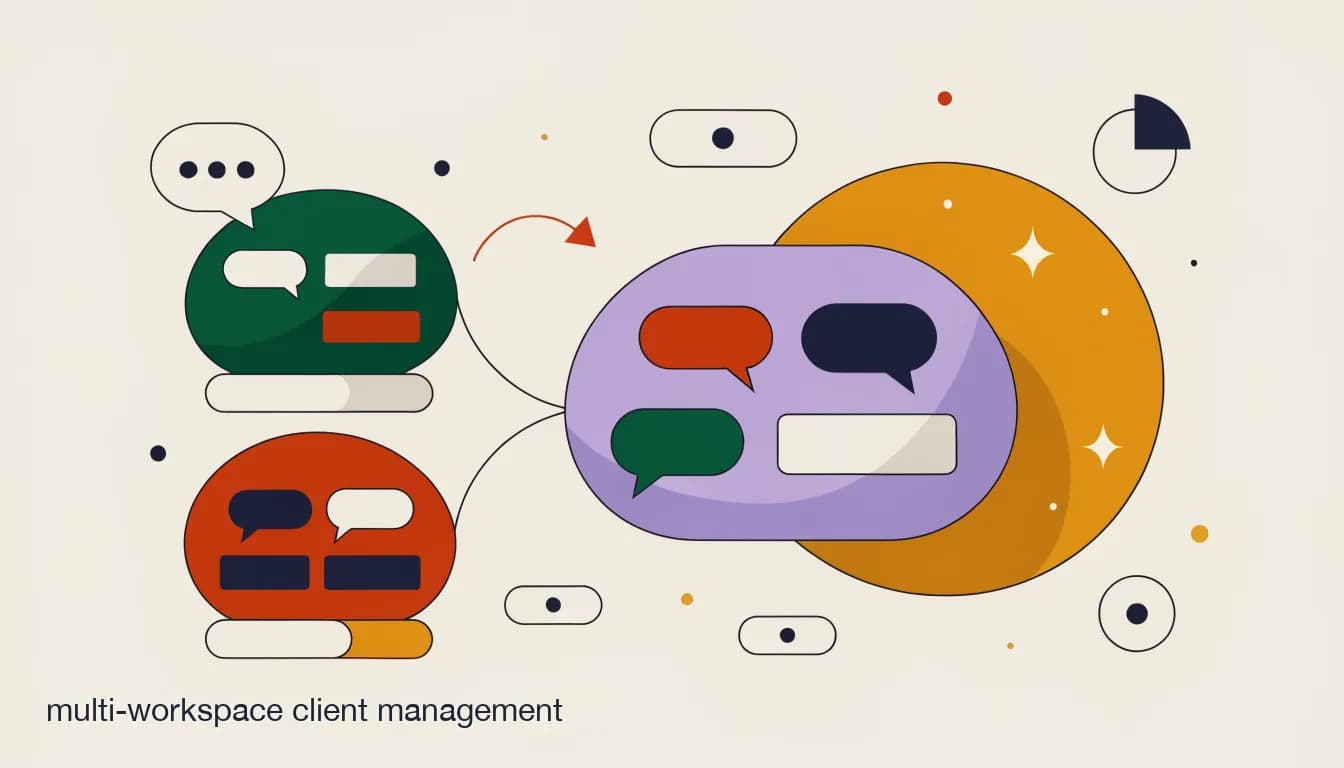
At its core, multi-workspace client management is an architecture, not a feature. Each client gets an isolated workspace — their own connected social channels, their own contact list, their own automation flows, their own conversation history, and (where the platform supports it) their own AI agent trained on their own knowledge base. Nothing in one client's workspace is visible from another client's workspace by default.
What changes is how your agency reaches all of that. Instead of a separate login per client, your team signs into one agency account and switches between workspaces the way you'd switch between browser tabs. Who can switch into which workspace, and what they're allowed to do once they're there, is governed by role-based permissions set at the workspace level — not a blanket 'everyone sees everything' arrangement.
The distinction worth holding onto is between isolation and access. Isolation is about the data itself: is client A's contact list, conversation history, and automation logic stored and processed separately from client B's, with no code path that could leak one into the other? Access is about your team: given that isolation exists, who gets a key to which room, and what can they do once they're inside it? A platform needs to get both right, and it's worth checking each independently rather than assuming one implies the other.
| Layer | What's isolated per client | What's shared across clients |
|---|---|---|
| Data | Contacts, conversation history, automation flows, knowledge base | Nothing — fully separated at the data layer |
| Channels | Instagram, Facebook, and Telegram connections belong to one workspace only | Nothing — each connection is scoped to its workspace |
| Access | Roles assigned per workspace (admin, reply-only, view-only) | One login and one team roster for your whole agency |
| Billing | Nothing — no per-client subscription | One agency-level plan covering all workspaces |
| Reporting | Per-client conversation and response metrics | A rollup view across workspaces for agency-level reporting |
Why doesn't one-tool-account-per-client scale?
One account per client is the default because it's the obvious first move. You sign a new client, you sign up for a new tool account exactly the way that client would if they were doing it themselves, and you hand yourself the login. It's simple, it maps cleanly to how the tool was designed to be sold, and for your first two or three clients it genuinely doesn't cause problems.
The trouble starts as the roster grows, and it doesn't announce itself as a crisis — it shows up as friction that quietly compounds. A social media manager covering six clients ends up with six sets of credentials, usually in a shared password manager that someone forgets to update when a client is offboarded. An account manager fielding a client's Monday-morning question has to remember which of six open tabs belongs to that client before they can even look at the conversation the client is asking about.
- Separate logins mean constant context-switching — every client conversation starts with 'which account am I even in right now'
- Separate billing means no single, predictable agency-level cost, and no easy way to see your total tool spend across the roster in one place
- There's no shared 'needs attention' view across clients, so someone has to manually check each account to know whether anything is on fire
- Password managers and shared logins become the de facto access control system, which means access isn't really controlled at all
- Offboarding a client means manually cleaning up one more isolated account, and it's exactly the kind of task that gets forgotten when you're busy
- Per-contact billing on each separate account compounds — five clients each near a contact-tier ceiling means five separate overage bills instead of one combined number you can actually plan around
The breaking point is usually client four or five
Most agencies we talk to describe the same pattern: account one and two feel manageable, and somewhere around client four or five the login-juggling and billing sprawl start eating a measurable chunk of a week. If that sounds familiar, it's usually not a sign you're doing agency ops wrong — it's a sign the one-account-per-client model has run out of road.
What's the difference between true data isolation and a "filtered view"?
This is the single most important technical distinction in this whole topic, and it's also the one most marketing pages gloss over, because 'multi-client' and 'multi-workspace' get used loosely to describe two very different architectures.
True data isolation means each client's data lives in its own logically (and often physically) separate store. A staff member's permission to see client A's workspace is checked before any of client A's data is ever retrieved — the system doesn't pull client B's conversations and then hide them from view, it never fetches them for that request in the first place. If there's a bug in the permission-checking code, the failure mode is usually 'access denied' rather than 'silent leak.'
A filtered view is a much shakier arrangement dressed up to look similar from the outside. In this pattern, all clients' data actually sits in one shared pool, and what a staff member sees is determined by a filter applied at query time or, worse, in the front-end code after the data has already been fetched. It can look identical in a demo — the same client-switcher dropdown, the same clean-looking dashboard — but the underlying guarantee is completely different. A bug in the filter, a misconfigured query, or an API endpoint that doesn't apply the same filter as the UI can expose another client's contacts, message history, or even payment details.
The reason this distinction matters isn't theoretical. It's the difference between a permission mistake meaning 'a staffer briefly couldn't see a workspace they should have' versus 'a staffer saw a competitor client's private conversation with their own customer.' The second one is the kind of incident that ends an agency contract, or an agency.
Ask the vendor exactly how isolation is enforced, not just whether it exists
'Yes, we support multi-client access' is not the same claim as 'each client's data is isolated at the database level and access is checked before data is retrieved, not filtered afterward.' Ask specifically which of the two you're getting. A vendor that can answer this precisely and confidently is a good sign; a vendor that answers with marketing language and pivots to a feature list is a signal to dig further before you migrate a single client's data over.
What should agencies check before adopting a multi-workspace tool?
Before you move even one client into a new platform, it's worth running a short, concrete checklist rather than trusting a feature page. None of these checks take long, and all of them are things you can verify yourself in a trial account before you commit anything real.
- Create a second workspace and a limited-role test userSpin up a workspace that represents a second, fake client. Invite a test teammate (or a second email you control) with a restricted role assigned only to your real workspace, not the test one.
- Confirm the limited user genuinely can't see the other workspaceLog in as the test user and try to switch into, search for, or otherwise surface the second workspace's data. If it's reachable at all, that's a filtered-view red flag, not true isolation.
- Check where roles can be scopedVerify permissions can be set per workspace, not just per account. An admin on client A's workspace should not automatically be an admin on client B's.
- Look for an audit trailConfirm the platform logs which staffer took which action in which client's workspace, and that you (not just the vendor) can view that log.
- Test billing as a single line itemAdd a workspace and confirm it appears on your existing agency plan rather than triggering a new, separate charge or signup flow.
- Walk through offboarding once, before you need it for realArchive or remove the test workspace and confirm it doesn't affect your other workspace, your billing, or your team's access to anything else.
Do this before you migrate a single real client
It's tempting to skip this checklist when a vendor's sales page already says 'built for agencies.' Do it anyway — it takes maybe twenty minutes in a trial account, and it's a lot cheaper than finding out about a gap after three clients' data is already sitting on the platform.
How does role-based access actually work across many client workspaces?
Role-based access is what makes 'one login, many clients' safe instead of reckless. The idea is simple: instead of every staffer having the same level of access to every workspace, each person's role is set per workspace, and that role determines what they can see and do once they're in it.
In practice this usually breaks into a handful of role types. An admin role can connect and disconnect channels, manage automation, add or remove other staff, and see billing. A reply-only or agent role can view and respond to conversations but can't touch automation logic or channel connections. A view-only role, useful for a client stakeholder who wants visibility without operational access, can see conversation history and basic metrics but can't send messages or make changes at all.
The part agencies often overlook is that these roles need to be assignable per workspace, not per account. A freelance social media manager who handles two of your twelve clients should be a reply-only agent on exactly those two workspaces and invisible to the other ten — not an account-wide user whose access happens to be limited by a setting nobody's confident is actually enforced.
A contractor covering two of your twelve clients
- One-account-per-client model
- Contractor gets two separate logins, or shares credentials for two separate accounts
- Shared-pool tool with weak roles
- Contractor's account-wide role technically limits access, but the other ten clients' data still passes through the same queries
- True multi-workspace with per-workspace roles
- Contractor is invited to exactly two workspaces as a reply-only agent, and the other ten workspaces don't exist from their login's point of view
How does audit logging protect an agency when something goes wrong?
Audit logs are the part of this whole system that nobody thinks about until the day they desperately need one. An audit log records who did what, where, and when — which staffer sent a given broadcast, who edited an automation flow, who exported a contact list, and which workspace each of those actions happened in.
The value shows up in two very different scenarios. The first is routine: a client asks why a particular automated message went out, and instead of guessing, you can pull up exactly who (or which automation) triggered it and when. The second is the one that matters more: something goes wrong — a client disputes an action, a former contractor is suspected of accessing a workspace after their contract ended, or a client's customer complains about a message they say they never should have received — and you need to reconstruct exactly what happened without relying on anyone's memory.
An audit log is your evidence, not just a feature checkbox
If a client ever asks 'who on your team saw my customer's message' or 'prove this automation didn't send during the window my contract said it shouldn't,' an audit log is the only honest way to answer with certainty rather than a best guess. Confirm the log is tamper-resistant and that you, the agency owner, can access it directly — not that you have to file a support ticket and wait for the vendor to look it up on your behalf.
What does client offboarding look like in a multi-workspace system?
Offboarding is where a lot of the value of true isolation becomes concrete, because it turns what used to be a multi-step cleanup project into something closer to closing a single folder.
In a one-account-per-client setup, offboarding means logging into that client's separate account, exporting whatever data you can, disconnecting channels, and either canceling a subscription or handing the account credentials to the client — and doing all of that while remembering which of your many browser tabs is even the right one. In a true multi-workspace system, the same process happens inside your existing login, scoped to exactly one workspace, with zero risk of touching any other client's setup by mistake.
- Export the client's dataPull conversation history, contacts, and any automation flow configurations so the client (or you, for your own records) retains a complete copy.
- Revoke workspace accessRemove every staff assignment from that specific workspace — including any contractor or subcontractor roles — without touching permissions on any other client's workspace.
- Disconnect channelsUnlink the client's Instagram, Facebook, and Telegram connections from the workspace so the client (or their next agency) can reconnect them cleanly elsewhere.
- Confirm the AI agent and knowledge base are scoped down or removedIf the client had a custom AI agent trained on their knowledge base, confirm it's deactivated or handed off, not left quietly running against a channel nobody's monitoring anymore.
- Archive or delete the workspaceClose the workspace out. Your agency-level billing adjusts automatically, and every other client's workspace, data, and staff access is entirely unaffected.
Offboarding is also a security event, not just an admin task
A surprising number of data-access problems trace back to offboarding that was done halfway — a contractor's access removed from most systems but forgotten in one, or a channel disconnected but the underlying automation left running. Treat the offboarding checklist as seriously as the onboarding one, and confirm each step actually took effect rather than assuming the interface did what it said.
It's worth pausing here on a question agencies ask often enough that it deserves its own space, even though it's really a variation on the access-control theme already covered above: what happens when the people needing access aren't your own full-time staff at all.
Can subcontractors or white-label partners get scoped access?
Yes, and this is one of the more practical payoffs of per-workspace roles. A lot of agencies lean on subcontractors — a freelance copywriter handling replies for two clients, a part-time automation builder who only touches flow logic, a white-label partner reselling your service under their own brand to their own client base. None of them need, or should have, visibility into your entire client roster.
With per-workspace roles, you invite a subcontractor into exactly the workspaces they're contracted to work on, with a role that matches what they actually need to do — reply-only if they're just handling conversations, a broader role if they're building automation. When the contract ends, you remove them from those specific workspaces without disrupting anything else. This connects directly to white-labeling: an agency reselling service under its own brand generally wants its subcontractors seeing only the client-branded workspace they're assigned to, with no indication that a dozen other agencies' clients even exist on the same platform. If white-label reselling is part of your model, it's worth treating that as its own evaluation question alongside multi-workspace access itself.
How does billing work across multiple workspaces?
Billing is where the one-account-per-client model quietly costs the most, because the pain isn't one big bill — it's a dozen small ones, each on its own renewal date, each with its own contact-tier ceiling that triggers its own overage charge when a client's list grows past it.
A true multi-workspace platform collapses that into one agency-level plan. You're billed once, on one plan, for a bundle of workspaces and a shared contact allowance, rather than renewing and monitoring a separate subscription per client. That doesn't just save money in aggregate — it makes your own cost genuinely predictable, which matters when you're trying to price your retainers against a stable input cost instead of a moving target.
| Billing question | One-account-per-client | True multi-workspace |
|---|---|---|
| Number of bills to track | One per client, each on its own cycle | One, covering the whole agency plan |
| What happens when a client's contacts grow | Separate overage charge on that one account | Counts against one shared allowance across all clients |
| Adding a new client mid-cycle | New signup, new subscription, new renewal date to track | New workspace added to the existing plan |
| Total agency tool cost visibility | Requires manually summing every separate invoice | Visible as one line on one invoice |
| Client churn impact on billing | Cancel that one account separately; easy to forget | Archive the workspace; billing adjusts on the existing plan |
What does adding a new client mid-month actually look like operationally?
This is where the difference between the two models stops being abstract and becomes a lived Tuesday-afternoon experience. Picture an agency that just closed a new client — call her Priya, running a boutique skincare brand that wants Instagram DM automation live before a product launch in ten days.
In the one-account-per-client model, someone on the team has to sign up for a new tool account under the agency's own email (or a client-specific one, which raises its own ownership questions later), enter a new payment method or add another card to a spreadsheet of them, invite the right staffer to that new login, and start from a completely blank setup — no shared templates, no carryover of the flows that worked for the last four clients in the same niche. It's not insurmountable, but it's real friction stacked onto an already tight ten-day timeline.
In a true multi-workspace model, the same moment looks like creating a new workspace inside the agency's existing account, assigning the right staffer a role on it, connecting Priya's Instagram, and — if the platform supports it — cloning a proven flow structure from a similar past client as a starting point. The billing question doesn't even come up as a separate decision; the new workspace is simply part of the existing plan.
Onboarding Priya's skincare brand, ten days before launch
- One-account-per-client
- New signup, new login, new card on file, blank setup, roughly a day of admin before real work starts
- True multi-workspace
- New workspace under the existing login and plan, staffer assigned in minutes, prior flow structure cloned as a starting point
How does KlyoChat structure multi-workspace client management?
KlyoChat gives each client a dedicated workspace with its own connected channels, its own contacts, its own automation flows, and its own custom AI agent — trained on that client's knowledge base — isolated from every other client's workspace. Your agency team logs in once and switches between workspaces, with roles controlling exactly what each staffer can see or do in each one: full admin on the clients they own, reply-only on the ones they just cover for coverage, view-only for a client stakeholder who wants transparency without the ability to touch anything.
Every workspace gets the same core toolset — a unified inbox across Instagram, Facebook, and Telegram (with WhatsApp rolling out and TikTok and X next), no-code automation, comment-to-DM funnels, broadcasts, and a custom AI agent included from the Pro plan rather than sold as a separate add-on. Assignment, @mentions, and internal notes work inside each client's workspace the same way they would for a single-business team, so a subcontractor covering one client gets the full collaboration experience scoped to just that workspace. Actions are logged per workspace, so if a client ever asks who touched their automation or sent a given broadcast, there's a real answer.
Billing sits at the agency level: one flat plan — Basic at $19/month, Pro at $49/month, or Business at $129/month, all roughly 20% cheaper billed yearly — covers your workspaces and contact allowance, so growing from twelve clients to fifteen doesn't mean signing up for three more separate subscriptions. There's a 7-day free trial with no card required, which is enough time to run the isolation and role checks from the checklist above against your own test workspace before moving a single real client over.
We'll be direct about the boundaries here too. KlyoChat's channel list today is Telegram, Facebook, and Instagram live, with WhatsApp rolling out and TikTok and X next — so if a client roster leans heavily on SMS, email, or a channel not yet on that list, that's a real gap to weigh, not something to discover after migrating. WhatsApp, once available for a given workspace, carries Meta's own per-conversation fees on top of the plan, same as it would on any platform. And KlyoChat is newer than some of the incumbents agencies may already know, so its template and community resources are smaller — direct support is the trade-off on offer for that.
Adding client #12 mid-month
- One-account-per-client model
- New signup, new login, new separate bill, blank setup
- KlyoChat multi-workspace
- New workspace under your existing login and plan, staffer assigned by role in minutes
What questions should you ask before trusting a vendor with client data isolation?
Before signing anything, it's worth having a short, direct list of questions ready — not because vendors are trying to mislead you, but because 'multi-client' is used loosely enough across the market that a specific question gets a much more useful answer than a general one.
- "Is client data isolated at the database level, or is it a shared pool filtered by permission at query time?" — get a specific answer, not a feature-page paraphrase
- "Can I assign a role per workspace, or only per account?" — the difference decides whether a contractor covering two clients can be scoped to exactly those two
- "Is there an audit log I can access directly, and does it survive a staffer's access being revoked?" — you want this available to you, not locked behind a support ticket
- "What happens to a client's data, billing, and channel connections when I offboard that one workspace?" — confirm nothing bleeds into your other clients
- "Can I test this with a limited-role user before I migrate a real client?" — a vendor confident in its isolation model will let you verify it yourself
- "Does adding a new client change my bill immediately, or is it a separate signup?" — this tells you whether billing is genuinely agency-level or just marketed that way
Vague answers here are the real risk, not any specific feature gap
A missing feature is annoying and workable-around. A vendor that can't precisely explain how isolation is enforced is a different kind of problem, because you won't find out the answer was wrong until a client's data is already exposed. Ask these questions before migrating anything real, and take a hedgy or purely marketing-language answer as a reason to test the trial account carefully rather than a reason to walk away outright — sometimes the product is fine and the sales answer was just imprecise, but you should verify that yourself.
None of this is about chasing a feature checklist for its own sake. Multi-workspace client management, done properly, is what lets an agency add its twelfth client without adding a twelfth login to remember, prove to a nervous client that their data was never mixed with anyone else's, and offboard a lost account in minutes instead of a checklist that half the team forgets half of. Run the isolation test yourself, ask the direct questions above, and let the answers — not the sales page — decide where your client roster lives.